
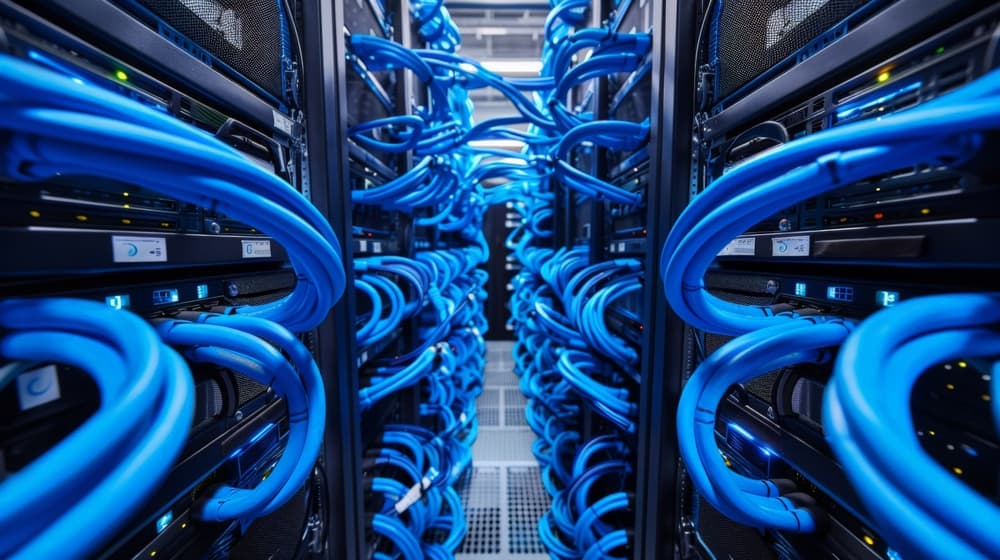
What are the key considerations in data center cabling design?
Keeping your cabling design tidy is an important step, but it’s just one of the steps you need to do right. Think of your cabling as the nervous system of your data center. Any problem is going to be felt across the entire setup. On the other hand, a well-designed system will provide all other parts with the foundation they need to function at their best. Let’s start from the beginning and:
1. Plan with the future in mind
Your cabling design shouldn’t just meet today’s requirements. With technology developing at breakneck speed, you need to anticipate tomorrow’s movies and challenges. Data centers are evolving by the day, and what works for current bandwidth and connectivity needs will almost certainly not cut it in a couple of years. Think about future growth, higher-speed connections, and new hardware. Making room for spare conduit pathways, extra capacity, and slack in cable lengths will help you scale without having to do it all over again later on.
2. Stick to standards
Now that you’ve future-proofed your setup as much as possible without the benefit of hindsight, it’s time to think about standards. ANSI/TIA standards exist for a reason. Adhering to established cabling standards ensures consistency, performance, and compatibility across the network. Whether you’re running on Cat6A, Cat7, or fiber optics, adhering to structured cabling guidelines reduces errors, simplifies troubleshooting, and makes life easier for the technicians working on your layout.
3. Label everything clearly
One of the simplest yet most overlooked steps is proper labeling. Every cable should be labeled on both sides with a unique identifier that ties back to a master documentation system. When something goes wrong, and it’s only a question of time, clear labeling will reduce troubleshooting time from hours to minutes, saving you much-needed resources. Pro tip: Use durable, heat-resistant labels so they don’t fade or peel off in high-temperature operational environments.
4. Prioritize airflow & cooling
Messy cabling is an eyesore that can make any technician dread the task just by looking at the colorful jumble. But it’s also much more than that and can lead to reduced performance throughout the grid. Tangled bundles restrict airflow, increasing the heat and forcing your cooling system to work harder and use more resources to lower the risk of overheating. With smart accessories like trays, racks, and Velcro ties, you can keep your airflow paths clear for better energy efficiency and equipment longevity.
5. Separate power & data cables
It may be tempting to run everything through the same tray, but even though you may save on time, hassle, and money, mixing power and data lines can cost you dearly. Electrical interference can cause signal issues and network instability. This may sound like a minor detail, but skimping on trays and conduits to put everything in one place is asking for trouble that you don’t need.
6. Think about accessibility & security
Cable labeling and separation are important, but so is accessibility. If you don’t leave enough wiggle room behind the racks, your technicians will find it hard to add, remove, reroute, or do any of the basic maintenance tasks without causing major disruption to your system. Accessibility seems like a minor issue until you have to shut down the entire rack for routine maintenance tasks.
7. Keep documentation up to date
Once you’ve designed your setup, it’s important to document all changes. Always update diagrams and spreadsheets to maintain an accurate picture of your system and keep your data center running smoothly and efficiently. Without this, even the best-designed cabling system will slowly start tuning into chaos after a few years and changes.

Which company specializes in data center cabling design in San Diego, CA?
Whether your operation is located in University City or on the outskirts of America's Finest City, Network Cabling is the go-to team of skilled technicians at your beck and call. With more than 3 decades of staying ahead of the competition and following closely all the new developments in tech and industry best practices, we’re here to empower your business for efficiency, reliability, and high performance.
If you want to partner with the leading pros to avoid the common pitfalls of faulty data center cabling installation, need help choosing between fiber and copper cabling, or want to learn more about structured and point-to-point solutions, we’re here to help you out with all this and much more. Get in touch with us today!